Scan your vibe-coded app for security holes.
You shipped it with Lovable, Bolt, Cursor, v0 or Replit and it works. But AI code generators leave a recognizable set of security holes, and attackers scan for exactly those. Paste your URL and see yours in under a minute.
- Exposed API keys & .env files
- Missing Supabase / Firebase RLS
- Open buckets & unprotected auth
- Every finding with a clear fix
Free scan. No account needed to start.
 Lovable
 Cursor
 v0
 Replit
 Windsurf
 Claude
 Supabase
 Firebase
 Next.js
 Vercel
 Netlify
 GitHubLovableCursorv0ReplitWindsurfClaudeSupabaseFirebaseNext.jsVercelNetlifyGitHub
The holes AI code generators leave behind
Every vibe-coded app tends to make the same handful of mistakes. Attackers know them, so they mass-scan for these exact patterns and hit whatever answers.
Supabase service keys, OpenAI keys and admin tokens compiled into the JavaScript your visitors download. Anyone can read them in DevTools and act as your backend.
The AI wires the database but skips RLS policies, so any logged-in user can read or edit any other user's rows through the same API the app uses. This is the number-one vibe-coding data leak.
A downloadable .env, an open .git directory, or a storage bucket that lists publicly hands over your whole backend. Vibe-coded deploys leak these constantly.
Find it, then fix it with the exact steps
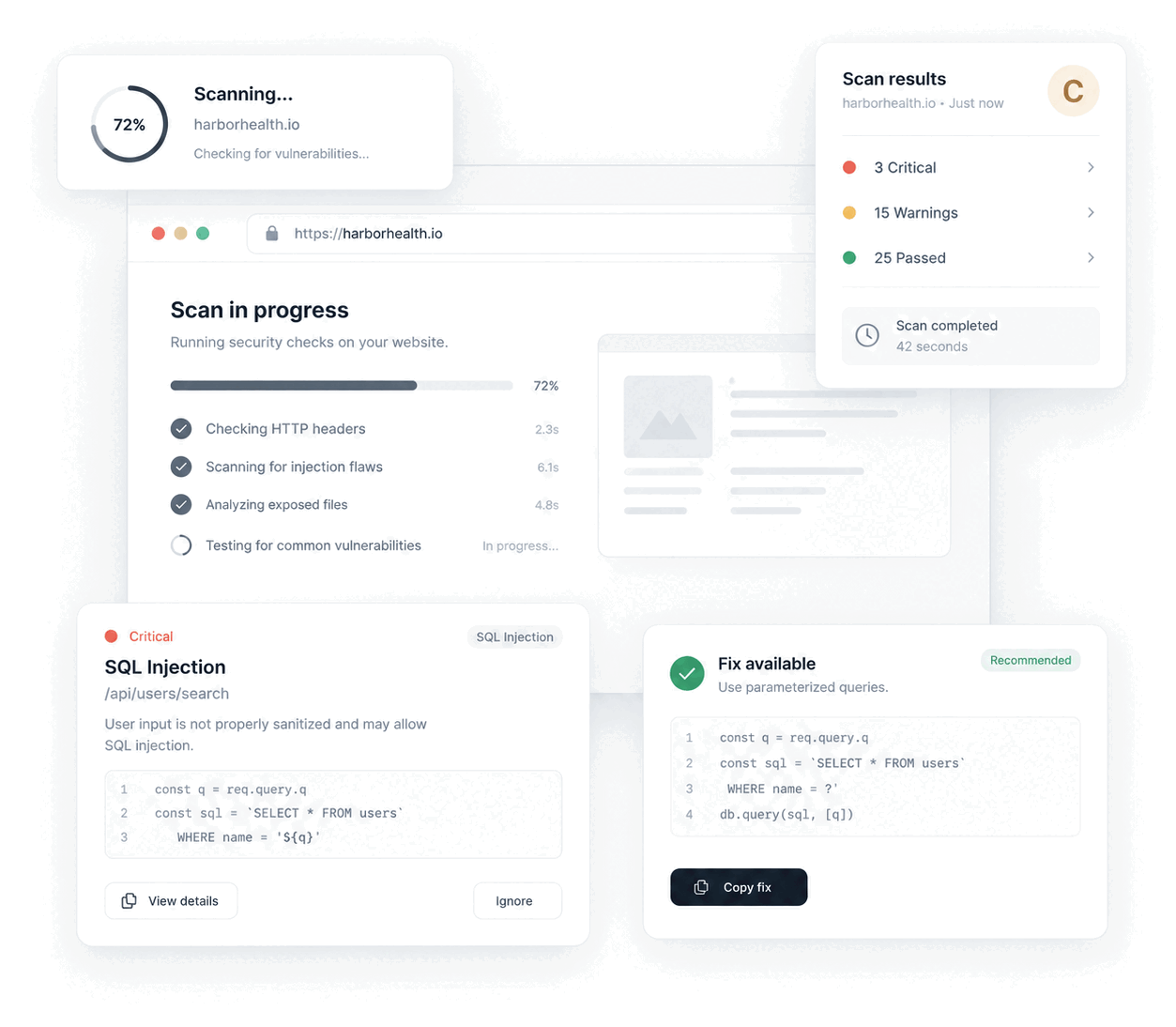
Jikida reads your live site and your repository the way an attacker would, grades what it finds, and gives you the precise fix for each issue. Nothing is invented; every finding carries its evidence.
It actively probes for exposed files, weak headers, insecure cookies, CSP and CORS gaps and API risks, then browses behind your login to reach the authenticated attack surface a public scan can never see.
Point it at your GitHub repo and it checks committed secrets, history leaks, dependency CVEs, and packages the AI may have hallucinated, which are a real supply-chain risk.
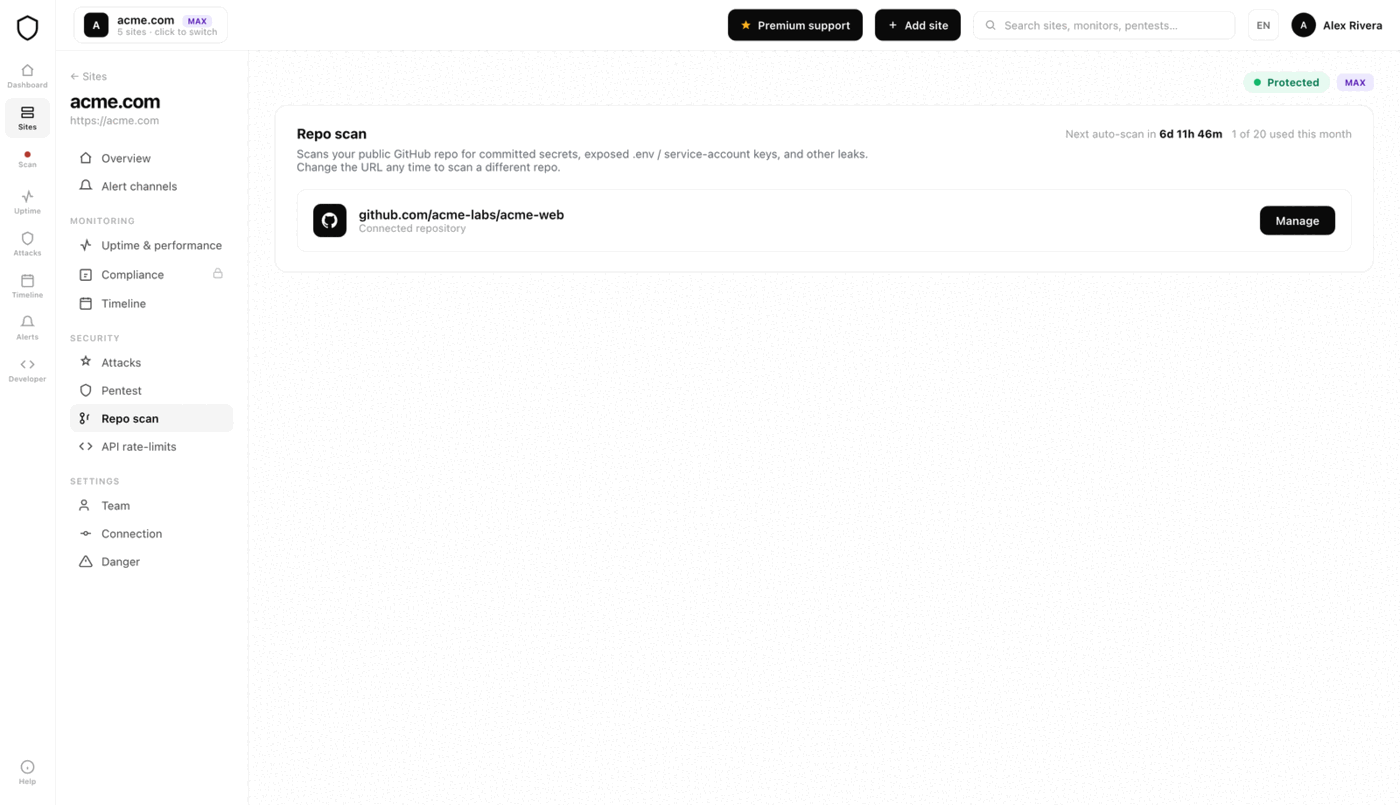
Each issue comes with a clear, step-by-step remediation and a paste-ready prompt for your AI editor, so you close the gap in minutes, not days.
Run a vibe code scanner before an attacker does.
Before the human audit, you can scan a vibe-coded app yourself in about a minute. A vibe code scanner reads your live site and your repository the way an attacker would and flags the specific mistakes AI code generators make again and again. Here is what a good one looks for, and what Jikida checks automatically on every scan.
Exposed secrets and API keys
The scanner reads your shipped JavaScript, inline scripts and network calls for live Stripe, OpenAI, Supabase service, AWS and Google keys. Public-by-design keys are labeled as safe to expose; secret keys are flagged critical with the file they leaked from.
.env, .git and backup files
It probes for a downloadable .env, an open .git directory, database dumps and editor backups left on the server. These single-handedly hand over your whole backend, and vibe-coded deploys leak them constantly.
Firebase and Supabase exposure
It checks whether your database answers unauthenticated reads: missing row-level security, a public anon key that returns rows with no policy, or Firebase rules left in test mode. This is the number-one vibe-coding data leak.
Headers, CSP and CORS
It grades your security headers, HTTPS and cookie flags, and flags an over-permissive CORS policy or a missing Content-Security-Policy that leaves you open to XSS and cross-origin theft.
Open storage and admin surface
It looks for storage buckets that list or accept public writes, directory listings, and admin panels reachable without auth, the pages an AI tool wired up but never locked down.
Dependencies and hallucinated packages
On a repo scan it checks your lockfile against known CVEs and flags packages the AI may have invented, a real supply-chain risk when an attacker registers the hallucinated name.
Vibe-coding security issues, and how Jikida catches them
The most common security issues in AI-built apps, and each one Jikida detects on a scan.
| Issue | What it lets an attacker do | Detected |
|---|---|---|
| Exposed API / service keys | Act as your backend, run up your bill | ✓ |
| Missing RLS (Supabase / Firebase) | Read or edit any user's data | ✓ |
| Committed .env / .git | Take over your whole backend | ✓ |
| Open storage buckets | Read or overwrite your files | ✓ |
| Unprotected auth endpoints | Credential stuffing at full speed | ✓ |
| Missing security headers / CSP | Clickjacking, XSS, downgrade attacks | ✓ |
A security scanner built for vibe-coded apps
AI code generators ship working apps in hours, but they carry the same recognizable security holes into production every time. Jikida is the vibe code scanner that finds them, explains them in plain English, and hands you the exact fix.
Why vibe-coded apps need their own scanner
When you build with Lovable, Bolt, Cursor, v0 or Replit, the model writes code that runs, but it does not reason about your threat model. It leaves service keys in the browser bundle, skips row-level security on Supabase and Firebase, commits .env files, and forgets rate limits on login. A generic scanner grades a few headers and stops. A vibe code scanner knows these exact patterns and probes for them directly, which is why it surfaces real, exploitable issues instead of a checklist.
What Jikida checks on every scan
One scan reads your live site and, when you connect it, your repository, the way an attacker would. It covers the whole surface, not just the front door:
- Exposed API and service keys, committed
.envand open.gitdirectories, with the repo security scanner matching secret patterns in every hit. - Missing Supabase and Firebase row-level security, the number-one data leak in AI-built apps.
- TLS grade, security headers, CSP and CORS gaps, insecure cookies and unprotected auth endpoints.
- Dependency CVEs and hallucinated packages the AI may have invented, which is a real supply-chain risk.
From finding to fix in minutes
Every issue is graded by severity and comes with a clear, step-by-step remediation plus a paste-ready prompt for your AI editor. Rotate the key, add the RLS policy, remove the committed file, set the header, and you close the gap the same day. Run it once from the browser with the scanner extension, or book a hands-on vibe-coded app security audit when you want an expert to go deeper.
Scan once, then stay protected
A scan is a snapshot; your app keeps changing. After the first scan you can keep the site on Jikida for continuous monitoring, scheduled re-scans, a managed WAF and instant alerts when something new appears, starting free. See what each tier includes on pricing.
Vibe-coded app security FAQ
Everything people ask before they start. Still unsure? We are one message away.
A vibe code scanner reads a vibe-coded app, both its live site and its repository, and flags the specific security mistakes AI code generators make again and again: exposed API keys, committed .env files, missing row-level security, open storage buckets, unprotected auth and weak headers. Jikida is a vibe code scanner that grades each finding and gives you the exact fix.
Secret keys shipped in the browser bundle, missing Supabase or Firebase row-level security, a downloadable .env or .git directory, storage buckets that list or accept public writes, login endpoints with no rate limit, and missing security headers. Every vibe-coded app tends to have a handful of these, and attackers mass-scan for exactly them.
Yes. Paste your URL and run a scan with no account needed to start. It grades TLS, headers, exposed files and common leaks in seconds. A free account adds a repo secret scan and lets you save and re-scan; deeper authenticated discovery and AI fix analysis come with a plan.
Yes. The scanner works on any app regardless of how it was built: Lovable, Bolt, Cursor, v0, Replit, Claude-assisted, or hand-written Next.js, Supabase, Firebase, Laravel, Django and Rails. The failure modes are similar across AI builders; the fixes are stack-specific and the report names the exact file.
Yes. Point the repo scanner at a public GitHub repository and it checks the default branch for committed .env, firebase-adminsdk and service-account files, matches secret patterns in every hit, and flags dependency CVEs and hallucinated packages.
Every finding comes with a clear, step-by-step remediation and a paste-ready prompt for your AI editor. Rotate the exposed key, add the RLS policy, remove the committed file, add the missing header. The report tells you exactly what to change and where.
Scan your app before an attacker does
Free scan, real findings, and the exact fix for each one. No account needed to start.