Sicherheits-MCP-Server für KI-Code-Editoren.
Der MCP-Server und die Agentic Skills geben Claude Code, Cursor und Windsurf echte Sicherheitskräfte: Sie führen deine KI zu sicherem Code, stoppen schlechte Praktiken, spüren offengelegte Schlüssel auf und scannen, erklären und reparieren, ohne den Editor zu verlassen.
- Führt die KI zu sicherem Code
- Spürt offengelegte Schlüssel auf
- Scannen, erklären & reparieren im Editor
- Standardmäßig nur Lesezugriff


Install
Add it to your AI editor in one paste.
Works with Claude Code, Cursor, Windsurf and VS Code, any assistant that speaks MCP. No token to paste, the first tool that needs your account opens the Jikida sign-in in your browser, approve once and you are connected.
{
  "mcpServers": {
    "jikida": {
      "command": "npx",
      "args": ["-y", "@jikida/mcp"]
    }
  }
}
Cursor uses ~/.cursor/mcp.json, Windsurf uses its MCP settings panel, the jikida block is the same. Full per-IDE guide at mcp.jikida.io. Or install without editing a file:
What it is
Real security tools, called by your AI.
The Jikida MCP server gives Claude Code, Cursor, Windsurf and Codex a set of deterministic security tools they can run while you code: scan a live site, pentest it, scan a repo for secrets, review the code you just wrote, explain a WAF verdict. Auditable output, safe to run inline, it inspects and reasons, it does not sit in your request path.
Every tool the MCP gives your AI.
Once the server is connected, your assistant can call these directly. Four run without a token; the rest use your jk_live_ key so they act only on sites you own.
scan_domain
Free
Runs a passive pentest on any URL, TLS, headers, exposed files, cookie flags, common leaks, and returns a graded report.
check_headers
Free
Checks HSTS, CSP, X-Frame-Options and the rest, and explains what each missing header lets an attacker do.
guard_code
Free
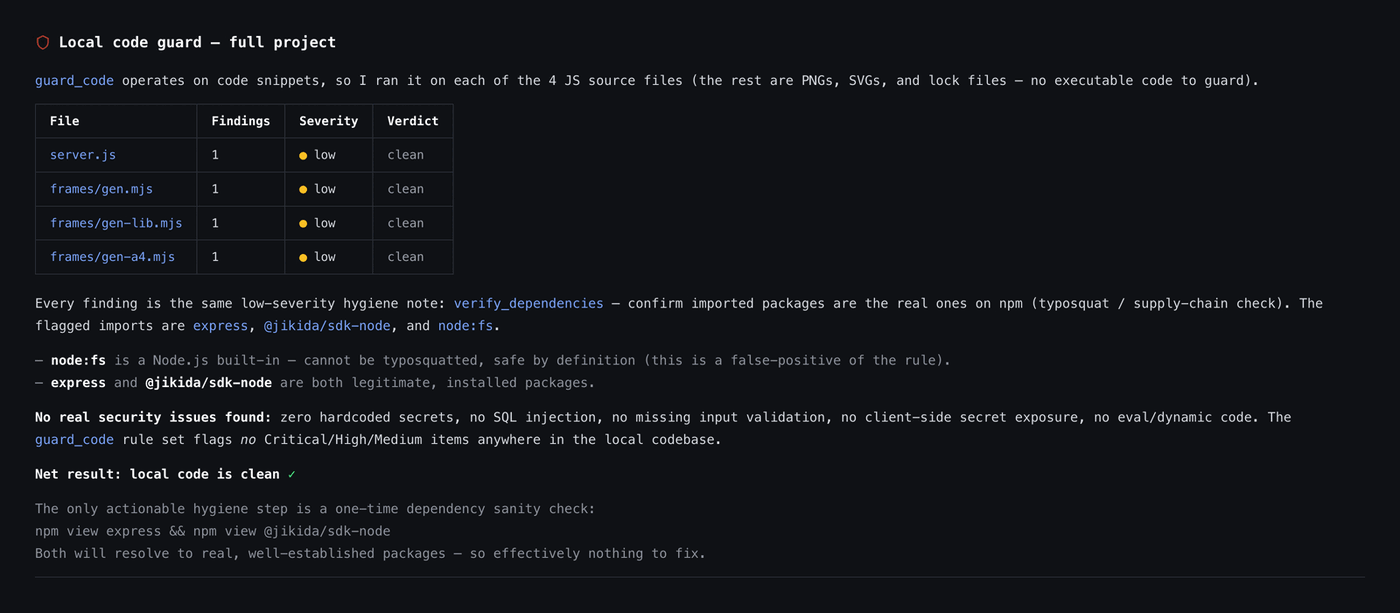
Static review of a code block for client-side secrets, hardcoded keys, SQL concatenation and missing auth limits.
check_s3_bucket
Free
Checks whether an S3 or compatible bucket lists or serves objects to anonymous users.
scan_aws
Max
Read-only Well-Architected review of a connected AWS account: public S3, root MFA, risky IAM, open security groups, encryption and idle cost.
scan_repo
Pro
Deep repo scan: dependency CVEs, exposed secrets, risky CI config and Dockerfile issues across the tree.
scan_local
Pro
Runs the vibe scan against the project on disk without pushing anything off the machine.
run_vibe_scan
Pro
Kicks off the async code + dependency + secret scan and returns the report when it is ready.
list_cves
Pro
Returns the known-vulnerability findings for a scanned target, ranked by severity.
explain_verdict
Pro
Takes a blocked request and explains in plain English which rule fired and why.
verify_finding
Pro
Re-checks a specific finding to separate a true issue from a false positive before you act on it.
pentest_status
Pro
Returns the state and grade of a running or finished pentest for one of your sites.
add_waf_rule
Pro
Adds a rule for a specific route or pattern on a site you own, live, without a dashboard trip.
block_ip
Pro
Blocks an address or whole network across the sites you own.
list_sites
Pro
Returns the sites on your account so the assistant can act on the right one.
list_monitors
Pro
Returns uptime monitors and their current state.
list_recent_attacks
Pro
Returns the latest blocked requests with IP, country, route and verdict.
list_recent_scans
Pro
Returns your latest scan runs and their grades.
get_security_preferences
Pro
Returns the security preferences the assistant should honour this session.
set_security_preference
Pro
Stores a preference (for example, never scan production without asking) for future sessions.
Free tools are IP rate-limited so you can try them with no account. See what each plan unlocks →
Pair the tools with the Skill.
The MCP gives your AI the tools; the Jikida Skill teaches it when to reach for them, so it scans, pentests and repo-scans your code as it writes, on its own. One command installs it for Claude Code, Cursor, Windsurf, Copilot and five more.
Deine KI schreibt Code. Jikida hält ihn sicher.
Vibe-codierte Apps brechen auf vorhersehbare Weise: ein Service-Key im Client-Bundle, per String-Verkettung gebautes SQL, eine Login-Route ohne Rate-Limit. Die Skills und MCP-Tools kennen diese Muster und greifen ein, während deine KI arbeitet, damit die Korrektur passiert, bevor der Code ausgeliefert wird.
Die Agentic Skills stehen Claude, Cursor und Windsurf zur Seite, lenken sie zu sicheren Mustern, melden schlechte Praktiken, sobald sie auftauchen, und fangen offengelegte Schlüssel und typische Vibe-Coding-Fehler ab, bevor sie dein Repository erreichen.
Bitte deinen Assistenten, eine URL zu scannen, den gerade geschriebenen Code zu prüfen oder ein Firewall-Urteil zu erklären. Jedes Tool liefert strukturierte Daten, sodass die KI über Fakten statt Vermutungen nachdenkt und dir eine echte Korrektur reicht.
Die MCP-Tools sind standardmäßig nur lesend und auf deinen API-Schlüssel beschränkt, sodass dein Assistent schauen und beraten kann, ohne deinen Schutz anzufassen. Prüfungen auf Enterprise-Niveau, ganz ohne Risiko.
Jedes Tool, das dein KI-Editor bei der Installation bekommt.
Der Sicherheits-MCP-Server stellt Claude Code, Cursor, Windsurf und VS Code einen sauberen Satz von MCP-Sicherheitswerkzeugen bereit. Drei laufen ohne Schlüssel und ohne Konto, der Rest wird freigeschaltet, sobald du einen API-Schlüssel hinzufügst.
Kostenlose Tools ohne Schlüssel
Drei Tools funktionieren ohne Konto, IP-ratenbegrenzt, damit du sie sofort ausprobieren kannst: guard_code prüft ein Snippet auf Sicherheitsfehler, check_headers benotet eine Live-URL und check_s3_bucket testet einen Bucket auf öffentliche Preisgabe. Genug, um den Nutzen im Editor zu belegen, bevor du dich anmeldest.
Authentifizierte Lese-Tools
Füge einen Schlüssel hinzu und deine KI gewinnt scan_domain, run_vibe_scan, scan_repo, list_sites, list_monitors, list_recent_attacks und explain_verdict. Jeder Aufruf liefert strukturierte Daten, sodass der Assistent über echte Fakten statt Vermutungen nachdenkt.
Pro-Aktions-Tools
Wenn du handeln willst, lassen add_waf_rule und block_ip die KI deinen Schutz ändern, immer hinter einer ausdrücklichen Bestätigung. Die Einstellungen liegen in get_security_preferences und set_security_preferences, damit die Empfehlungen zu deinem Stack passen.
FAQ zu Sicherheits-MCP und KI-Editor
Alles, was man vor dem Start fragt. Noch unsicher? Wir sind eine Nachricht entfernt.
Es ist ein Model-Context-Protocol-Server, der deinem KI-Editor echte Sicherheitswerkzeuge gibt. Statt zu raten, können Claude Code, Cursor, Windsurf und VS Code @jikida/mcp aufrufen, um eine Domain zu scannen, Header zu benoten, einen Bucket zu prüfen, deinen Code durchzugehen und ein Firewall-Urteil zu erklären, und dann auf das Ergebnis zu reagieren.
In jedem MCP-fähigen Editor: Claude Code, Cursor, Windsurf und VS Code. Die Agentic Skills laden neben den Tools und führen die KI beim Schreiben zu sicheren Mustern.
Nein. Drei Tools sind schlüssellos und IP-ratenbegrenzt: guard_code, check_headers und check_s3_bucket. Füge einen API-Schlüssel hinzu, um Domain- und Repo-Scans, Website- und Monitor-Listen, Angriffsprotokolle und die Pro-Aktions-Tools freizuschalten.
In einer Zeile. Führe npx @jikida/mcp aus oder füge den Server zu ~/.claude/mcp.json hinzu (kein Token zum Einfügen – melde dich einmal im Browser an) und starte den Editor neu. Die Tools und Skills stehen beim nächsten Start bereit.
Nur mit den Pro-Aktions-Tools und nur hinter einer ausdrücklichen Bestätigung. add_waf_rule und block_ip fragen, bevor sie handeln; jedes andere Tool ist nur lesend und auf deinen API-Schlüssel beschränkt.
Ja. Er ist in jedem Plan enthalten, auch in Free, ohne Aufpreis. Bezahlte Pläne heben die Scan- und Regellimits an, aber die Tools selbst gehen an alle.
Rüste deinen KI-Editor in einer Zeile aus.
Kostenlos zum Start, keine Karte nötig. Füge den MCP-Server und die Skills hinzu, und dein Assistent bekommt in Sekunden echte Sicherheitskräfte.