Servidor MCP de seguridad para editores de código con IA.
El servidor MCP y las Agentic Skills dan a Claude Code, Cursor y Windsurf poderes de seguridad reales: guían a tu IA hacia código seguro, frenan las malas prácticas, detectan claves expuestas y escanean, explican y corrigen, sin salir del editor.
- Guía a la IA hacia código seguro
- Detecta claves expuestas
- Escanea, explica & corrige en el editor
- Solo lectura por defecto


Install
Add it to your AI editor in one paste.
Works with Claude Code, Cursor, Windsurf and VS Code, any assistant that speaks MCP. No token to paste, the first tool that needs your account opens the Jikida sign-in in your browser, approve once and you are connected.
{
  "mcpServers": {
    "jikida": {
      "command": "npx",
      "args": ["-y", "@jikida/mcp"]
    }
  }
}
Cursor uses ~/.cursor/mcp.json, Windsurf uses its MCP settings panel, the jikida block is the same. Full per-IDE guide at mcp.jikida.io. Or install without editing a file:
What it is
Real security tools, called by your AI.
The Jikida MCP server gives Claude Code, Cursor, Windsurf and Codex a set of deterministic security tools they can run while you code: scan a live site, pentest it, scan a repo for secrets, review the code you just wrote, explain a WAF verdict. Auditable output, safe to run inline, it inspects and reasons, it does not sit in your request path.
Every tool the MCP gives your AI.
Once the server is connected, your assistant can call these directly. Four run without a token; the rest use your jk_live_ key so they act only on sites you own.
scan_domain
Free
Runs a passive pentest on any URL, TLS, headers, exposed files, cookie flags, common leaks, and returns a graded report.
check_headers
Free
Checks HSTS, CSP, X-Frame-Options and the rest, and explains what each missing header lets an attacker do.
guard_code
Free
Static review of a code block for client-side secrets, hardcoded keys, SQL concatenation and missing auth limits.
check_s3_bucket
Free
Checks whether an S3 or compatible bucket lists or serves objects to anonymous users.
scan_aws
Max
Read-only Well-Architected review of a connected AWS account: public S3, root MFA, risky IAM, open security groups, encryption and idle cost.
scan_repo
Pro
Deep repo scan: dependency CVEs, exposed secrets, risky CI config and Dockerfile issues across the tree.
scan_local
Pro
Runs the vibe scan against the project on disk without pushing anything off the machine.
run_vibe_scan
Pro
Kicks off the async code + dependency + secret scan and returns the report when it is ready.
list_cves
Pro
Returns the known-vulnerability findings for a scanned target, ranked by severity.
explain_verdict
Pro
Takes a blocked request and explains in plain English which rule fired and why.
verify_finding
Pro
Re-checks a specific finding to separate a true issue from a false positive before you act on it.
pentest_status
Pro
Returns the state and grade of a running or finished pentest for one of your sites.
add_waf_rule
Pro
Adds a rule for a specific route or pattern on a site you own, live, without a dashboard trip.
block_ip
Pro
Blocks an address or whole network across the sites you own.
list_sites
Pro
Returns the sites on your account so the assistant can act on the right one.
list_monitors
Pro
Returns uptime monitors and their current state.
list_recent_attacks
Pro
Returns the latest blocked requests with IP, country, route and verdict.
list_recent_scans
Pro
Returns your latest scan runs and their grades.
get_security_preferences
Pro
Returns the security preferences the assistant should honour this session.
set_security_preference
Pro
Stores a preference (for example, never scan production without asking) for future sessions.
Free tools are IP rate-limited so you can try them with no account. See what each plan unlocks →
Pair the tools with the Skill.
The MCP gives your AI the tools; the Jikida Skill teaches it when to reach for them, so it scans, pentests and repo-scans your code as it writes, on its own. One command installs it for Claude Code, Cursor, Windsurf, Copilot and five more.
Tu IA escribe el código. Jikida lo mantiene seguro.
Las apps vibe-coded fallan de forma predecible: una clave de servicio en el bundle del cliente, SQL armado por concatenación, una ruta de login sin límite de peticiones. Las Skills y las herramientas MCP conocen estos patrones e intervienen mientras tu IA trabaja, para que la corrección llegue antes de publicar el código.
Las Agentic Skills acompañan a Claude, Cursor y Windsurf y los orientan hacia patrones seguros, señalan las malas prácticas en cuanto aparecen y atrapan las claves expuestas y los errores clásicos de vibe-coding antes de que lleguen a tu repositorio.
Pídele a tu asistente que escanee una URL, revise el código que acabas de escribir o explique un veredicto del firewall. Cada herramienta devuelve datos estructurados: la IA razona sobre hechos en lugar de adivinar, y te entrega una corrección real.
Las herramientas MCP son de solo lectura por defecto y quedan limitadas a tu clave API, así tu asistente puede mirar y aconsejar sin tocar tu protección. Comprobaciones de nivel empresarial, sin ningún riesgo.
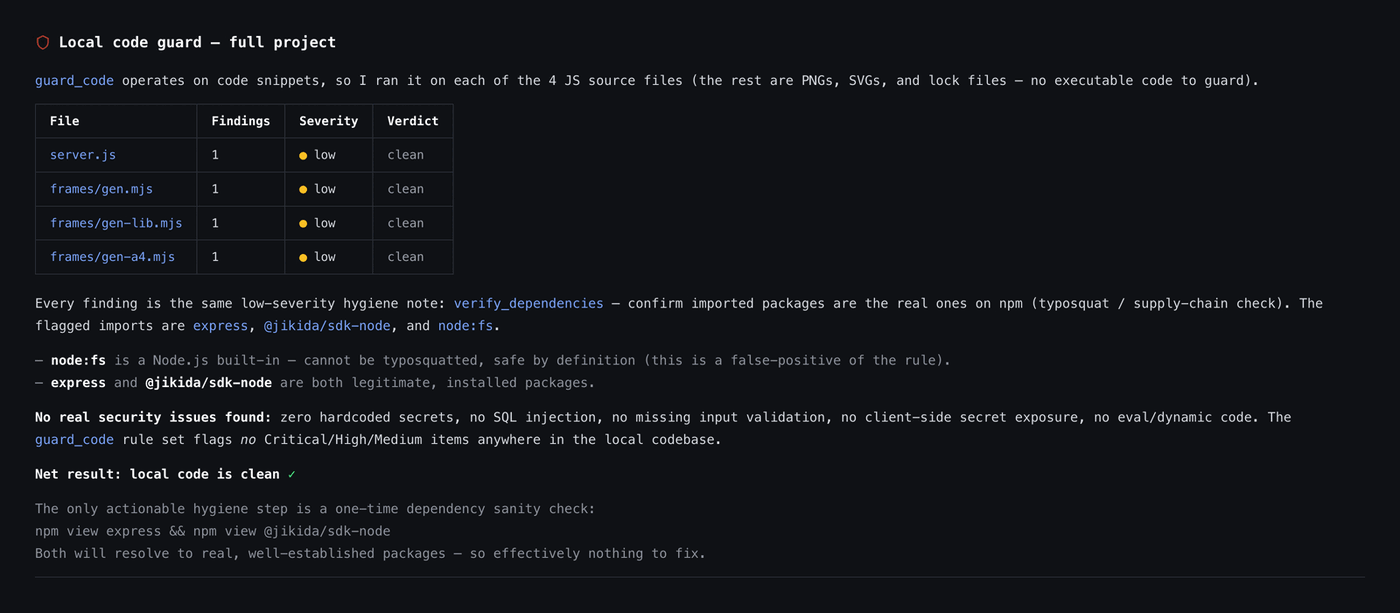
Cada herramienta que tu editor de IA recibe al instalar.
El servidor MCP de seguridad expone un conjunto limpio de herramientas de seguridad MCP a Claude Code, Cursor, Windsurf y VS Code. Tres funcionan sin clave ni cuenta, el resto se desbloquea en cuanto añades una clave API.
Herramientas gratis, sin clave
Tres herramientas funcionan sin cuenta, limitadas por IP para que las pruebes al instante: guard_code revisa un fragmento en busca de fallos de seguridad, check_headers califica una URL en vivo y check_s3_bucket comprueba si un bucket está expuesto públicamente. Suficiente para demostrar el valor dentro de tu editor antes de registrarte.
Herramientas de lectura autenticadas
Añade una clave y tu IA gana scan_domain, run_vibe_scan, scan_repo, list_sites, list_monitors, list_recent_attacks y explain_verdict. Cada llamada devuelve datos estructurados: el asistente razona sobre hechos reales en lugar de adivinar.
Herramientas de acción Pro
Cuando estés listo para actuar, add_waf_rule y block_ip dejan que la IA cambie tu protección, siempre tras una confirmación explícita. Las preferencias viven en get_security_preferences y set_security_preferences para que los consejos encajen con tu stack.
FAQ de MCP de seguridad y editor de IA
Todo lo que se pregunta antes de empezar. ¿Aún con dudas? Estamos a un mensaje.
Es un servidor Model Context Protocol que da a tu editor de IA herramientas de seguridad de verdad. En vez de adivinar, Claude Code, Cursor, Windsurf y VS Code pueden llamar a @jikida/mcp para escanear un dominio, calificar cabeceras, revisar un bucket, repasar tu código y explicar un veredicto del firewall, y luego actuar sobre el resultado.
En cualquier editor compatible con MCP: Claude Code, Cursor, Windsurf y VS Code. Las Agentic Skills se cargan junto a las herramientas y guían a la IA hacia patrones seguros mientras escribe.
No. Tres herramientas son sin clave y limitadas por IP: guard_code, check_headers y check_s3_bucket. Añade una clave API para desbloquear los escaneos de dominio y de repositorio, los listados de sitios y monitores, los registros de ataques y las herramientas de acción Pro.
En una línea. Ejecuta npx @jikida/mcp o añade el servidor a ~/.claude/mcp.json (sin token que pegar: inicia sesión una vez en el navegador) y reinicia el editor. Las herramientas y las Skills están disponibles en el siguiente arranque.
Solo con las herramientas de acción Pro, y siempre tras una confirmación explícita. add_waf_rule y block_ip preguntan antes de actuar; cualquier otra herramienta es de solo lectura y queda limitada a tu clave API.
Sí. Está incluido en todos los planes, incluido Free, sin coste extra. Los planes de pago suben los límites de escaneos y reglas, pero las herramientas en sí llegan a todo el mundo.
Arma tu editor de IA en una línea.
Gratis para empezar, sin tarjeta. Añade el servidor MCP y las Skills y tu asistente gana poderes de seguridad reales en segundos.