AI コードエディターのための セキュリティ MCP サーバー。
MCP サーバーと Agentic Skills が、Claude Code・Cursor・Windsurf に本物のセキュリティの力を与えます。AI を安全なコードへ導き、悪い書き方を止め、露出した鍵を捕まえ、エディターを離れずにスキャン・説明・修正します。
- AI を安全なコードへ導く
- 露出した鍵を捕まえる
- エディター内でスキャン・説明・修正
- 既定は読み取り専用


Install
Add it to your AI editor in one paste.
Works with Claude Code, Cursor, Windsurf and VS Code, any assistant that speaks MCP. No token to paste, the first tool that needs your account opens the Jikida sign-in in your browser, approve once and you are connected.
{
  "mcpServers": {
    "jikida": {
      "command": "npx",
      "args": ["-y", "@jikida/mcp"]
    }
  }
}
Cursor uses ~/.cursor/mcp.json, Windsurf uses its MCP settings panel, the jikida block is the same. Full per-IDE guide at mcp.jikida.io. Or install without editing a file:
What it is
Real security tools, called by your AI.
The Jikida MCP server gives Claude Code, Cursor, Windsurf and Codex a set of deterministic security tools they can run while you code: scan a live site, pentest it, scan a repo for secrets, review the code you just wrote, explain a WAF verdict. Auditable output, safe to run inline, it inspects and reasons, it does not sit in your request path.
Every tool the MCP gives your AI.
Once the server is connected, your assistant can call these directly. Four run without a token; the rest use your jk_live_ key so they act only on sites you own.
scan_domain
Free
Runs a passive pentest on any URL, TLS, headers, exposed files, cookie flags, common leaks, and returns a graded report.
check_headers
Free
Checks HSTS, CSP, X-Frame-Options and the rest, and explains what each missing header lets an attacker do.
guard_code
Free
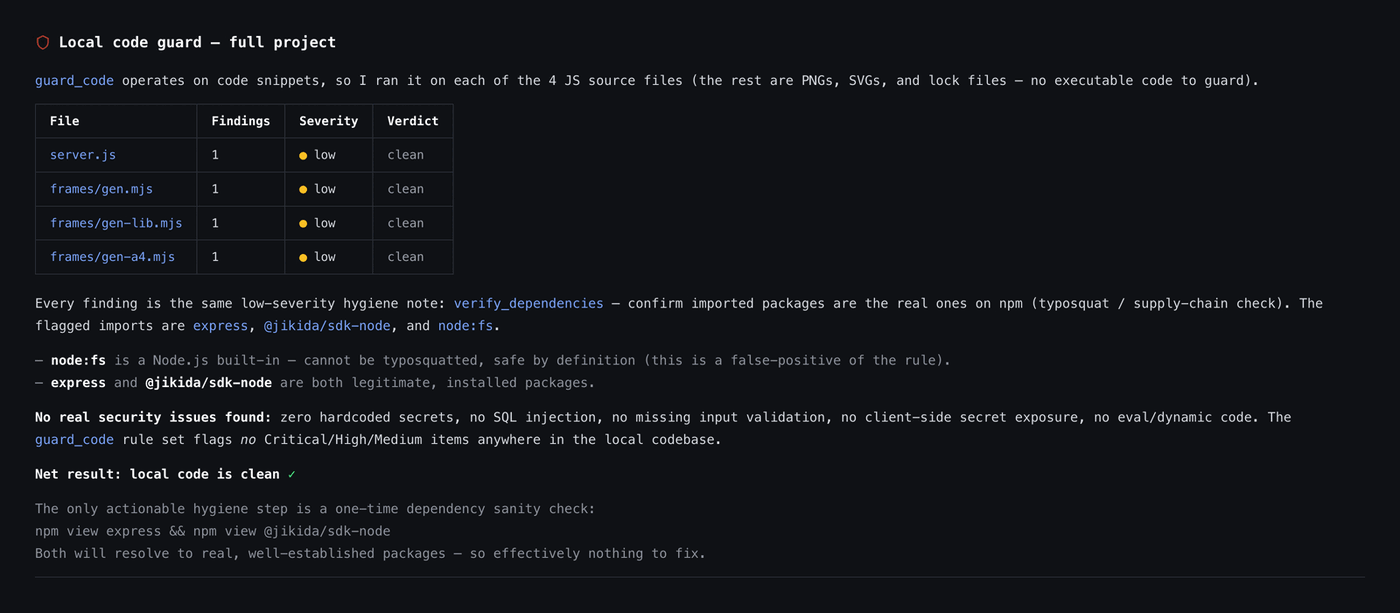
Static review of a code block for client-side secrets, hardcoded keys, SQL concatenation and missing auth limits.
check_s3_bucket
Free
Checks whether an S3 or compatible bucket lists or serves objects to anonymous users.
scan_aws
Max
Read-only Well-Architected review of a connected AWS account: public S3, root MFA, risky IAM, open security groups, encryption and idle cost.
scan_repo
Pro
Deep repo scan: dependency CVEs, exposed secrets, risky CI config and Dockerfile issues across the tree.
scan_local
Pro
Runs the vibe scan against the project on disk without pushing anything off the machine.
run_vibe_scan
Pro
Kicks off the async code + dependency + secret scan and returns the report when it is ready.
list_cves
Pro
Returns the known-vulnerability findings for a scanned target, ranked by severity.
explain_verdict
Pro
Takes a blocked request and explains in plain English which rule fired and why.
verify_finding
Pro
Re-checks a specific finding to separate a true issue from a false positive before you act on it.
pentest_status
Pro
Returns the state and grade of a running or finished pentest for one of your sites.
add_waf_rule
Pro
Adds a rule for a specific route or pattern on a site you own, live, without a dashboard trip.
block_ip
Pro
Blocks an address or whole network across the sites you own.
list_sites
Pro
Returns the sites on your account so the assistant can act on the right one.
list_monitors
Pro
Returns uptime monitors and their current state.
list_recent_attacks
Pro
Returns the latest blocked requests with IP, country, route and verdict.
list_recent_scans
Pro
Returns your latest scan runs and their grades.
get_security_preferences
Pro
Returns the security preferences the assistant should honour this session.
set_security_preference
Pro
Stores a preference (for example, never scan production without asking) for future sessions.
Free tools are IP rate-limited so you can try them with no account. See what each plan unlocks →
Pair the tools with the Skill.
The MCP gives your AI the tools; the Jikida Skill teaches it when to reach for them, so it scans, pentests and repo-scans your code as it writes, on its own. One command installs it for Claude Code, Cursor, Windsurf, Copilot and five more.
AI がコードを書く。Jikida が安全に保つ。
vibe コーディングのアプリは決まったところで壊れます。クライアントバンドルに入り込んだサービスキー、文字列連結で組んだ SQL、レート制限のないログインルート。Skills と MCP ツールはこうしたパターンを知っていて、AI が作業している最中に割って入り、コードが出荷される前に修正します。
Agentic Skills は Claude・Cursor・Windsurf に寄り添い、安全なパターンへ促し、悪い書き方が現れた瞬間に指摘し、露出した鍵やよくある vibe コーディングのミスをリポジトリに届く前に捕まえます。
URL のスキャン、いま書いたコードのレビュー、ファイアウォールの判定の説明をアシスタントに頼めます。どのツールも構造化データを返すので、AI は推測ではなく事実に基づいて考え、本物の修正を渡します。
MCP ツールは既定で読み取り専用、あなたの API キーの範囲に限定されます。だからアシスタントは、あなたの防御に触れることなく見て助言できます。エンタープライズ級のチェックを、リスクなしで。
インストールで AI エディターが 手に入れるツール。
セキュリティ MCP サーバーは、Claude Code・Cursor・Windsurf・VS Code に整った MCP セキュリティツール一式を提供します。3 つは鍵もアカウントもなしで動き、残りは API キーを追加した瞬間に解放されます。
鍵なしの無料ツール
3 つのツールはアカウント不要、IP でレート制限され、すぐに試せます。guard_code はスニペットのセキュリティバグをレビューし、check_headers は稼働中の URL を採点し、check_s3_bucket はバケットの公開露出を調べます。登録前にエディター内で価値を示すのに十分です。
認証付きの読み取りツール
鍵を追加すると AI は scan_domain・run_vibe_scan・scan_repo・list_sites・list_monitors・list_recent_attacks・explain_verdict を得ます。どの呼び出しも構造化データを返すので、アシスタントは推測ではなく実際の事実に基づいて考えます。
Pro のアクションツール
行動する準備ができたら、add_waf_rule と block_ip が AI にあなたの防御の変更を許します。つねに明示的な確認が前提です。設定は get_security_preferences と set_security_preferences に置かれ、助言があなたのスタックに合います。
AI エディターに本物のセキュリティツールを与える Model Context Protocol サーバーです。推測する代わりに、Claude Code・Cursor・Windsurf・VS Code は @jikida/mcp を呼んで、ドメインをスキャンし、ヘッダーを採点し、バケットを調べ、コードをレビューし、ファイアウォールの判定を説明し、その結果に基づいて行動できます。
MCP に対応するあらゆるエディター、つまり Claude Code・Cursor・Windsurf・VS Code です。Agentic Skills はツールと並んで読み込まれ、書いている最中の AI を安全なパターンへ導きます。
いいえ。3 つのツールは鍵不要で IP レート制限付きです。guard_code・check_headers・check_s3_bucket です。API キーを追加すると、ドメインとリポジトリのスキャン、サイトとモニターの一覧、攻撃ログ、Pro のアクションツールが解放されます。
1 行です。npx @jikida/mcp を実行するか、~/.claude/mcp.json にサーバーを追加し(貼り付けるトークンは不要 — ブラウザで一度サインインするだけ)、エディターを再起動します。ツールと Skills は次の起動で使えます。
Pro のアクションツールに限り、しかも必ず明示的な確認を経てのみです。add_waf_rule と block_ip は行動の前に尋ねます。それ以外のツールはすべて読み取り専用で、あなたの API キーの範囲に限定されます。
はい。Free を含むすべてのプランに追加費用なしで含まれます。有料プランはスキャンやルールの上限を引き上げますが、ツール自体は全員に届きます。