Best alternative to Cronitor, meet Jikida.
Cronitor is great for cron and heartbeat monitoring. Jikida includes heartbeat checks and wraps them with a managed firewall, pentest and full-stack security.
Why teams pick Jikida over Cronitor.
Cronitor is a favourite among backend engineers because it nails a specific job: knowing when a scheduled task did not run. Heartbeat and cron monitoring, plus clean HTTP and DNS checks and useful dashboards, make it the right tool for making sure your nightly backup, your queue worker and your billing job all fired on time. That focus is a strength.
The reason to look at a Cronitor alternative is that cron health is one slice of keeping an app safe and available. A job that runs on schedule can still sit behind a vulnerable endpoint, an exposed secret in the repo or an unblocked flood of malicious requests. Jikida includes heartbeat and HTTP and DNS checks so your scheduled jobs stay covered, and wraps them with a managed firewall, pentest, repo scanning and a compliance generator, giving you availability and security in one place.
The practical difference shows up when a scheduled job succeeds but the app around it does not. A backup that fires on time still leaks data if a secret sits exposed in the repo, and a healthy queue worker does not stop a flood of malicious requests hitting the same host. With Jikida your heartbeat and HTTP checks live next to a managed WAF, a free surface pentest and an online security scanner, so one account covers both whether the job ran and whether the app is safe. The free tier needs no card, and yearly billing runs about 25% under monthly.
Switching from Cronitor to Jikida.
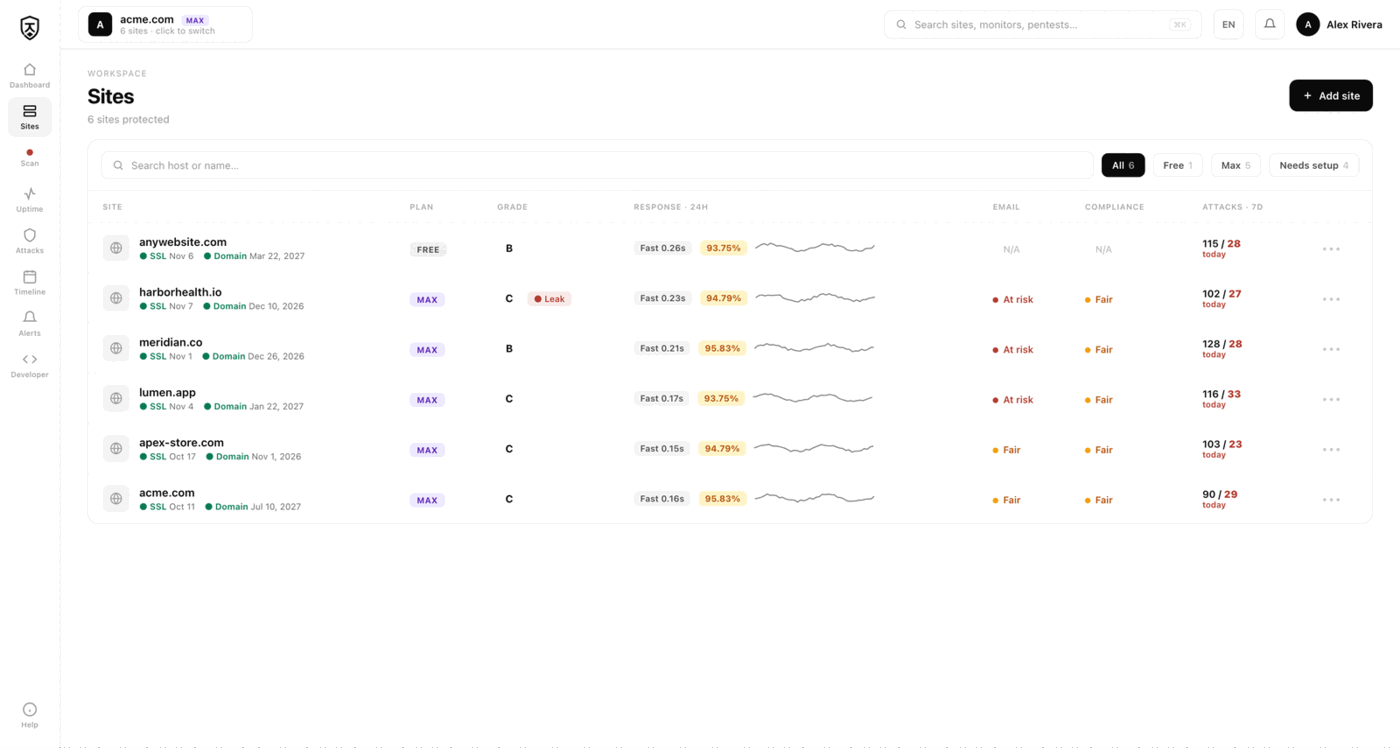
You keep the monitoring backbone: heartbeat pings for cron and background jobs, HTTP and DNS checks, and confirmation across regions before an alert reaches you. Add SSL and domain expiry watching and a public status page and the operational visibility Cronitor gave you is intact, so your scheduled work is still watched exactly as before.
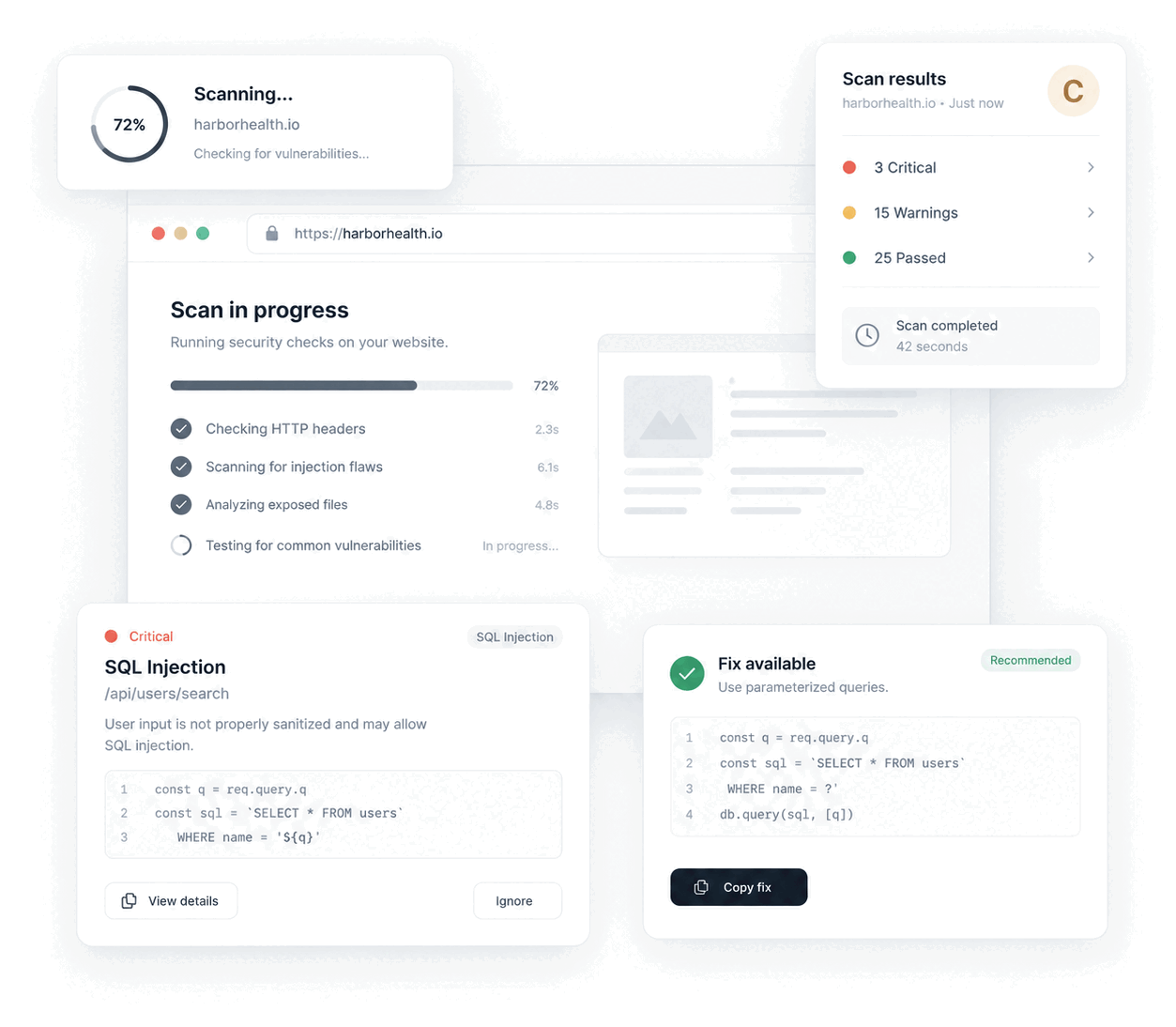
What you add is defence for the app those jobs run inside. A one-line SDK enables a managed WAF with automatic rate limits and bot blocking that fails open, so protection never becomes a single point of failure. A monthly surface pentest and an online security scanner map your exposed surface, deep pentests run on the Max plan, and repo secret scanning flags a leaked token before it becomes an incident. A built-in compliance generator produces GDPR and CCPA documents auditors expect, which a monitoring-only tool cannot.
Migration fits an engineer's workflow. There is nothing to install to start monitoring, heartbeat URLs are trivial to point at Jikida, and the firewall SDK is a single line in your app. The free tier needs no card, and annual billing runs about 25% below monthly if you keep it.
Compare Jikida with the rest.
How to switch from Cronitor without a monitoring gap.
Migrating off Cronitor is a five-minute job, not a project. You keep Cronitor live while you set Jikida up, move your sites and alerts across, switch on the WAF and pentest Cronitor never offered, and only then cancel. Here is the exact order.
-
01
Keep Cronitor running while you set up
No rip-and-replace. Create a free Jikida account and add your sites there first, and Cronitor stays live the whole time, so there is never a monitoring gap during the move.
-
02
Add your sites and endpoints
Point Jikida at the same URLs, domains and API endpoints you watch in Cronitor. Uptime checks, SSL and domain-expiry monitoring and a public status page turn on the moment a site is added: no agent to install, no DNS change.
-
03
Wire up the alerts you already use
Connect email, Slack, Discord, Telegram or a signed webhook, and install the Jikida Alerts phone app. The call-style Alarm level rings through silent mode and Do Not Disturb for the 3am outage you cannot sleep through, something Cronitor cannot do.
-
04
Turn on the security Cronitor does not have
This is the real upgrade: a managed WAF in one SDK line, a scheduled pentest that grades your site A–F, repo and secret scanning, and active deception, all in the same account, at no extra vendor. Monitoring and security stop being two bills.
-
05
Run both for a cycle, then cancel Cronitor
Watch the two side by side for a billing cycle. Once you trust the Jikida alerts and grades, cancel Cronitor and consolidate. Most teams find they were paying for uptime and still had no security layer at all.
Frequently asked questions.
Everything people ask before they switch from Cronitor. Still unsure? We are one message away.
Yes. Jikida includes the heartbeat and HTTP and DNS monitoring Cronitor is known for, so your cron and background jobs stay watched, and it adds a managed firewall, pentest, repo scanning and a compliance generator that a monitoring-only tool does not.
It does. You point your scheduled jobs at a heartbeat URL and Jikida alerts you when an expected ping is missed, alongside HTTP and DNS checks. Alerts reach email, Slack, Telegram or the call-style phone alarm.
Yes. A one-line SDK turns on a managed WAF with rate limits and bot blocking, a monthly surface pentest and website scanner flag exposed endpoints, and repo secret scanning catches leaked keys, so availability and security live in one account.
Yes, no card needed. Free includes uptime and heartbeat monitoring, a status page, basic managed WAF and a monthly surface pentest. Paid plans add deep pentests, repo scanning and the compliance generator, with yearly billing about 25% cheaper.
Jikida alerts you when an expected heartbeat ping is missed within its grace window, which catches jobs that did not run or ran far behind schedule. Cronitor offers finer duration and run-time thresholds, so if per-job timing analytics are central to your work, weigh that. For most teams the missed-ping alert plus HTTP and DNS checks covers the real need.
Yes. The Jikida mobile app can ring a call-style alarm that cuts through silent mode and Do Not Disturb when a heartbeat is missed or a site goes down, so an overnight failure does not sit unseen until morning. You set the alert level per site and per event, from silent to notification to alarm. The same events also reach email, Slack and Telegram.
One platform · One install
Pentest, scan and protect from one account.
A live-app pentest, repo and secret scanning, a managed firewall and monitoring — free to start, no card. Plans from $15/mo.